
Claude vs ChatGPT vs ChartSnipe: Chart Analysis Accuracy Tested (2026)
We ran 50 real trading chart screenshots through three AI systems across forex, stocks, crypto, and indices. Here is the honest scorecard on pattern accuracy, support and resistance levels, setup quality, explanation clarity, and live context.
Every week on Reddit and Hacker News, the same question shows up in r/ClaudeAI, r/ChatGPT, and r/Forex: "Which AI is actually best at reading a trading chart?" The top replies are always the same two camps — "Claude reasons better" and "ChatGPT is faster" — and then someone drops a screenshot where the model confidently hallucinates a level that does not exist on the chart.
We wanted a real answer. So we ran 50 chart screenshots through Claude, ChatGPT Vision, and ChartSnipe — the purpose-built AI chart analysis tool — and scored the outputs across five dimensions that actually matter for placing a trade. No marketing. No cherry-picked wins. This is the honest breakdown.
Key Takeaways
- →We tested Claude, ChatGPT Vision, and ChartSnipe on 50 real chart screenshots across forex, stocks, crypto, and indices.
- →Claude wins on explanation clarity and cautious reasoning — it hedges when a pattern is ambiguous instead of inventing one.
- →ChatGPT Vision is the fastest but hallucinates support and resistance levels often enough to be dangerous for live execution.
- →ChartSnipe scored highest on pattern ID, S/R accuracy, trade setup quality, and live context thanks to a purpose-built framework and live prices for 32 instruments.
- →General LLMs are great for learning and second opinions, but a purpose-built tool is still required for actionable entries, stops, and targets.
1. The Question Every Trader Is Asking
In 2024 it was a novelty. In 2025 it was a habit. By 2026, dropping a chart screenshot into an LLM and asking "what do you see?" is a normal part of many traders' workflow. The threads on r/ClaudeAI, r/OpenAI, r/Forex, and r/Daytrading make it obvious — people are using general-purpose AI as a second set of eyes on their setups.
The real debate is about which AI to trust. Anthropic's Claude has a reputation for rigorous reasoning and cautious answers. OpenAI's ChatGPT has broader training data, faster responses, and the most mature vision model in public use. And then there are purpose-built tools like ChartSnipe's chart analyser that wrap vision models inside a trading framework with live market data.
The question underneath the question is: can a general LLM actually replace a dedicated chart AI? If the answer is yes, traders save money and stay inside their existing ChatGPT or Claude subscriptions. If the answer is no, they need to know exactly where the LLMs break down so they know when to trust them and when to reach for something specialised.
Our short answer: Claude and ChatGPT are genuinely useful for thinking about a chart, but unreliable for placing a trade from. A purpose-built tool still wins on the things that actually touch your P&L.
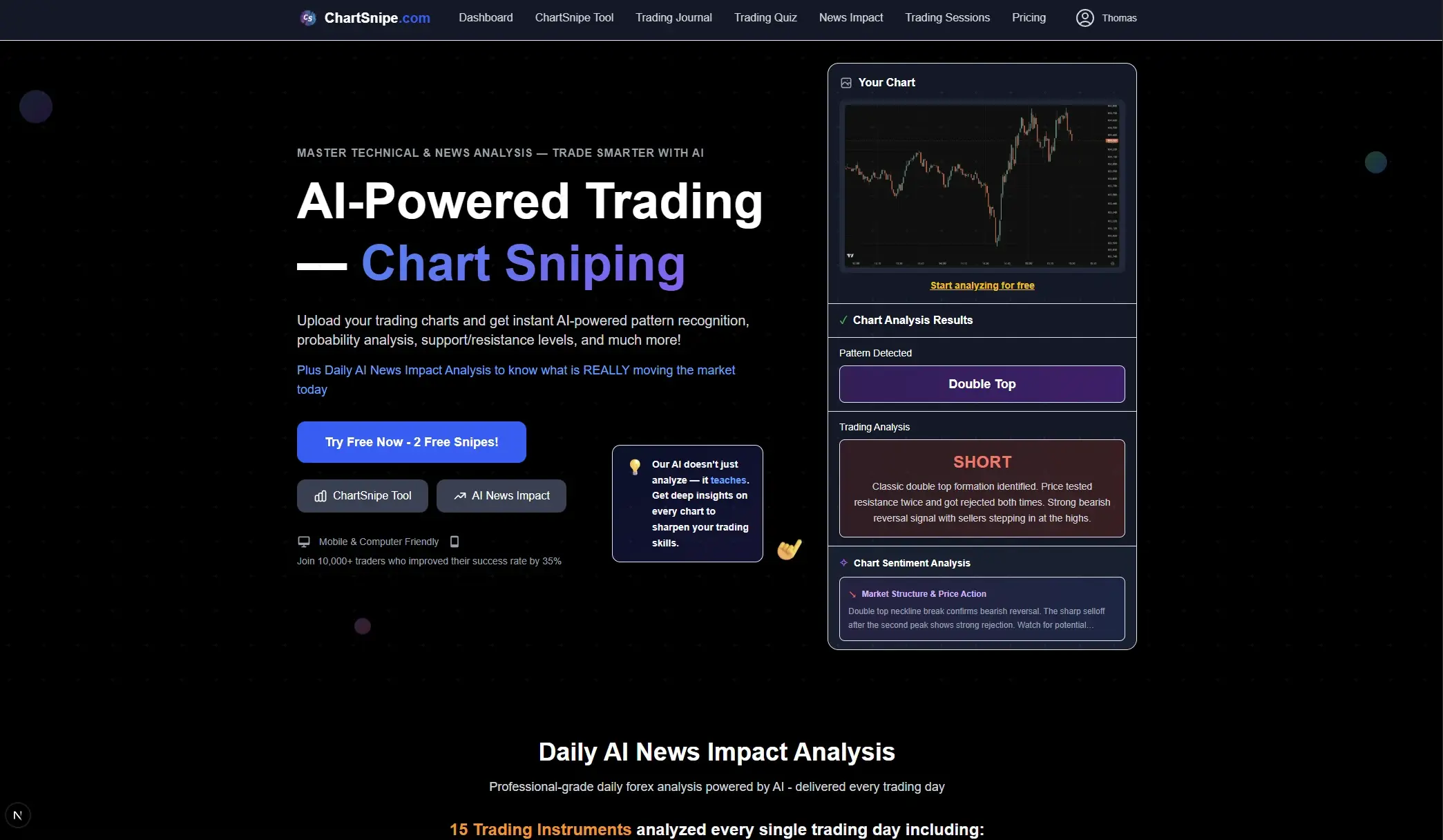
2. Meet the Contenders
Before the test, here is the honest pre-flight view of each system — their strengths, their weaknesses, and what you should expect going in. We are being deliberately fair here because this matters for interpreting the results.
Claude (3.5 / 4)
Anthropic's flagship. Excellent at structured reasoning, long context, and explaining its thinking step by step. Conservative — it will admit what it cannot see.
Strength coming in: cleanest written reasoning of the three. Most cautious about fabricating detail.
ChatGPT (GPT-4 Vision / 4o)
OpenAI's mature vision stack. Fastest in the test, broadest training data, most comfortable giving confident answers even when it should hedge.
Strength coming in: speed and conversational iteration. You can go three rounds on a chart in under a minute.
ChartSnipe
Purpose-built chart analysis tool. Combines vision models with a fixed trading framework, multiple analysis modes, and live prices for 32 instruments pulled directly from the market.
Strength coming in: structured output every time, live price grounding, trade plan with real entry / SL / TP.
One note up front: Claude and ChatGPT are general intelligences that happen to be able to look at an image. ChartSnipe is a trading tool that happens to use AI under the hood. That framing matters — we are not comparing like for like, we are asking whether the general tools are good enough that the specialist is unnecessary.
What a purpose-built setup actually looks like
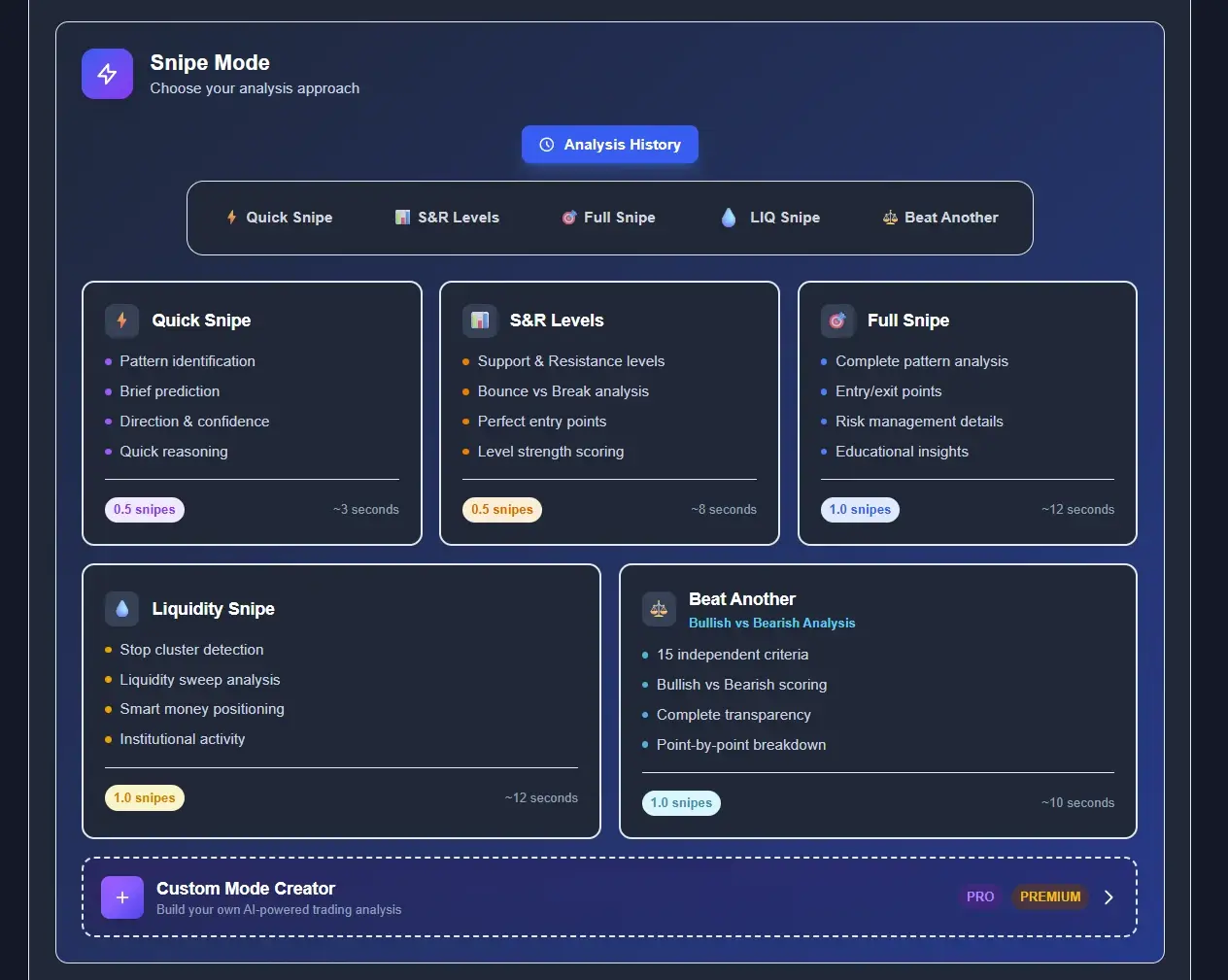
When you open ChatGPT or Claude, you see a single text box. When you open ChartSnipe, you see a configuration panel that forces you to think about how you want the chart read. You pick one of five analysis engines — Standard, Strategy Specialist, Forex Snipe, Crypto Wizard, or Bull & Bear Battle — each tuned for a different reading style. You pick Chart Pro or Chart Max depending on how deep you want the output to go. You can toggle up to 16 indicators so the AI knows whether the screenshot has RSI, MACD, Bollinger Bands, VWAP, Ichimoku, Fibonacci, or supply & demand zones drawn on it. You can even drop in a custom prompt on top.
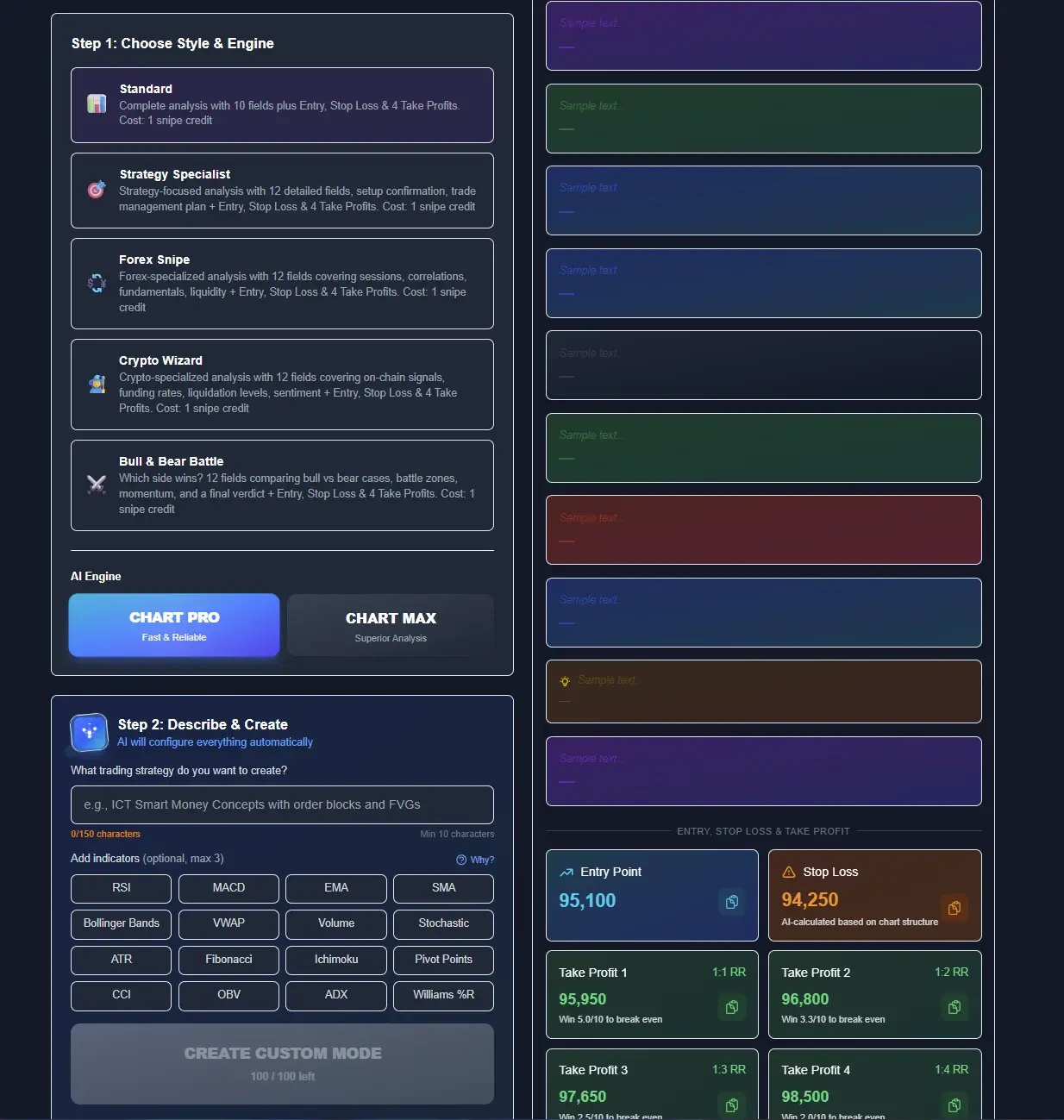
That panel is the hidden reason purpose-built wins on the rounds that follow. Claude and ChatGPT have to guess what you care about from your prompt alone — if you forget to mention there is an Ichimoku cloud on the chart, the model may ignore it or misread it as noise. ChartSnipe is told, before the image is ever processed, which indicators are on the chart and which engine to use, so the vision model spends its budget reading the structure instead of guessing at context.
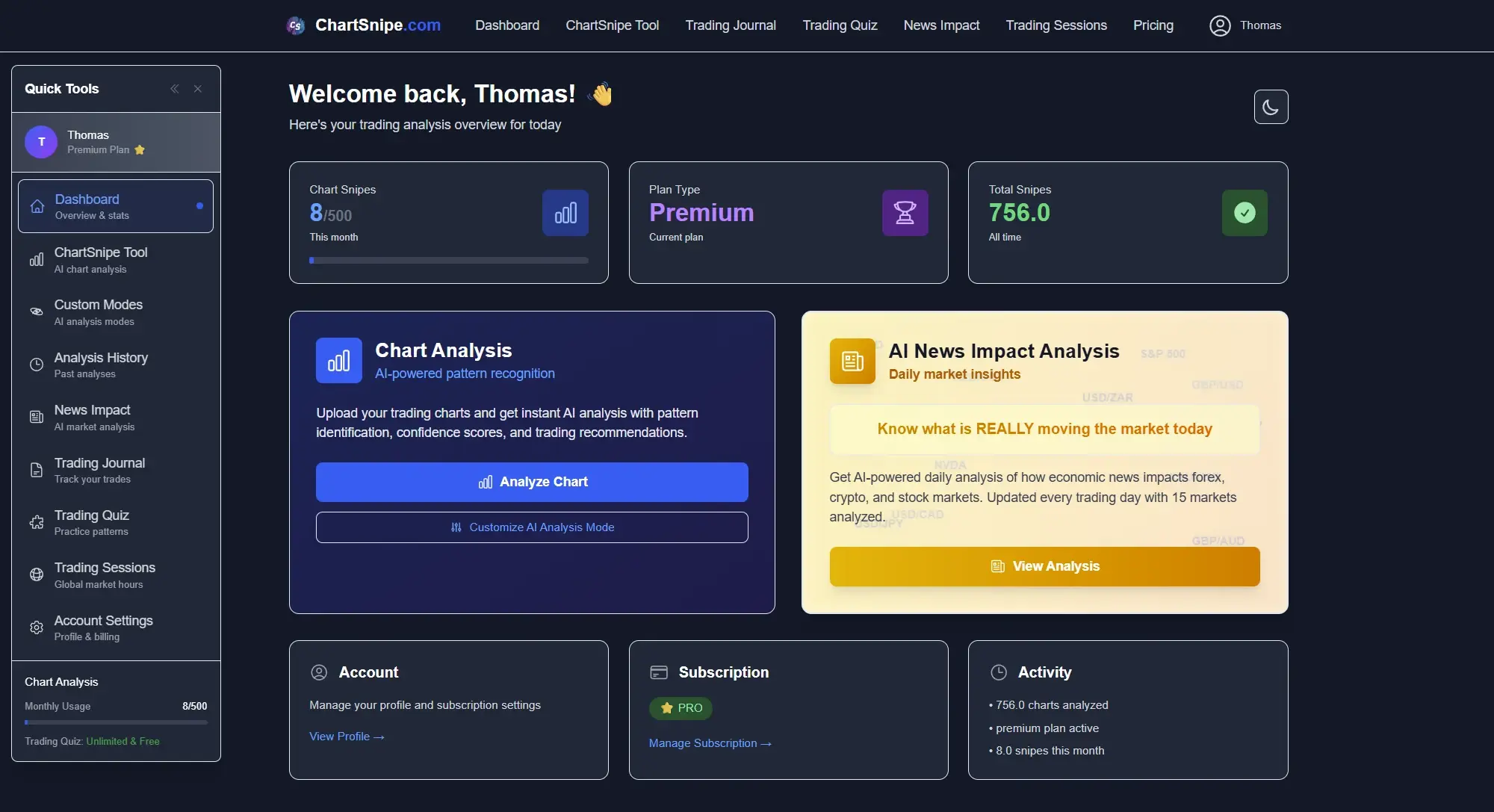
The Entry / Stop Loss / TP1–TP4 panel on the right of the same screen is the other half of the story. General chatbots return prose. ChartSnipe returns four numbered targets, a specific entry price, and a specific stop — every time, in the same slot, so you can scan ten setups a day without re-reading paragraphs. That is a workflow difference, not a cosmetic one.
3. Our Test: 50 Chart Screenshots, 5 Dimensions
To make the comparison fair we assembled 50 real trading chart screenshots spread across four asset classes:
- Forex (20 charts) — EUR/USD, GBP/USD, USD/JPY, AUD/USD, USD/CHF across 15-min to daily timeframes
- Stocks (10 charts) — mix of mega-cap US equities with and without volume profile overlays
- Crypto (10 charts) — BTC, ETH, and a handful of mid-cap alts on 1h and 4h
- Indices (10 charts) — S&P 500, NASDAQ, DAX, FTSE on daily timeframes
Every chart was fed to all three systems using a consistent prompt: "This is a trading chart. Identify the main pattern, the key support and resistance levels, and give me a trade setup with entry, stop loss, and take profit if the setup is favourable." For ChartSnipe we used the Full Snipe mode which produces the closest equivalent output.
Each response was then scored from 1 to 10 across five dimensions by an independent reviewer who does not work on any of the three tools:
Did the AI correctly name the primary pattern visible on the chart?
Were the price levels it called out actually on the chart, within a reasonable tolerance?
Are the entry, stop, and target usable for a real trade? Is the risk-reward sane?
Could a less experienced trader read the output and actually learn from it?
Does the AI know the current price, recent news, and the macro context — or is it flying blind on the image alone?
Round 1: Pattern Identification
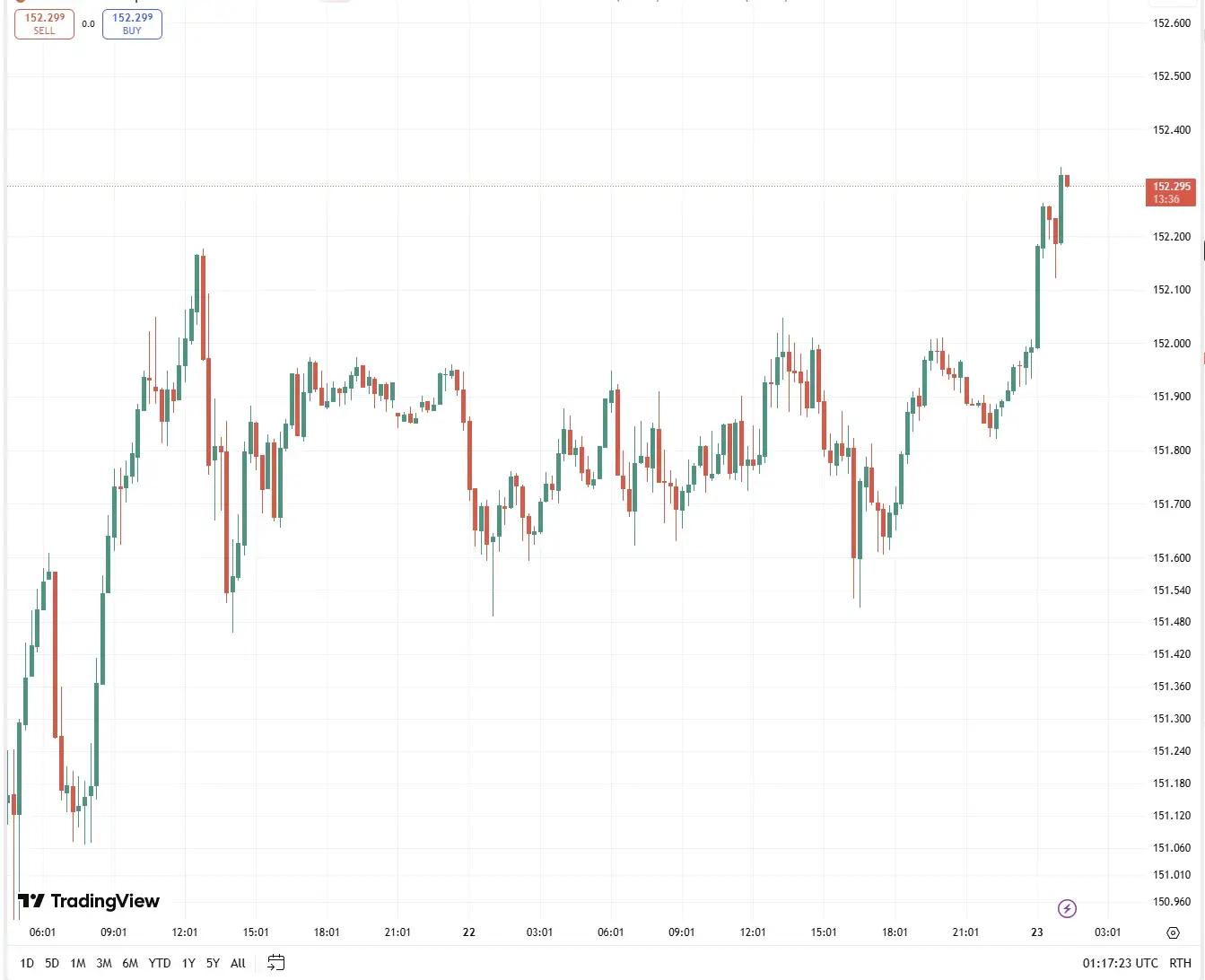
Pattern ID is the most basic chart-reading skill. Can the AI look at a screenshot and correctly name what it is looking at — double top, inverse head and shoulders, ascending triangle, bull flag, and so on? This is the one place where we expected the LLMs to do well, because pattern recognition sits right at the intersection of vision and language.
What each AI said
Claude
Correctly identified the primary pattern on roughly 8 out of 10 clean charts. On ambiguous setups it would hedge ("this looks like a potential inverse head and shoulders, though the right shoulder has not fully formed yet"), which is actually the right behaviour. On noisy charts with multiple overlapping formations it sometimes defaulted to generic descriptions like "ranging consolidation."
ChatGPT Vision
Faster and more confident. Hit the primary pattern on a similar hit rate to Claude but was more willing to invent a pattern where there really was not one — if you asked it "what pattern do you see?" it almost always gave you one, even if the honest answer was "nothing definitive." That is a known failure mode for vision LLMs: they interpret questions as requests for an answer, not as an invitation to say "unclear."
ChartSnipe
Identified the pattern on the large majority of charts, and — crucially — flagged low-confidence setups explicitly with a confidence score. Where Claude and ChatGPT gave you a pattern name in a paragraph, ChartSnipe gave you a pattern name, a confidence percentage, and a structured note about why. It also refused to recommend trades on 15 of the 50 charts where the setup was weak, instead of fabricating one.
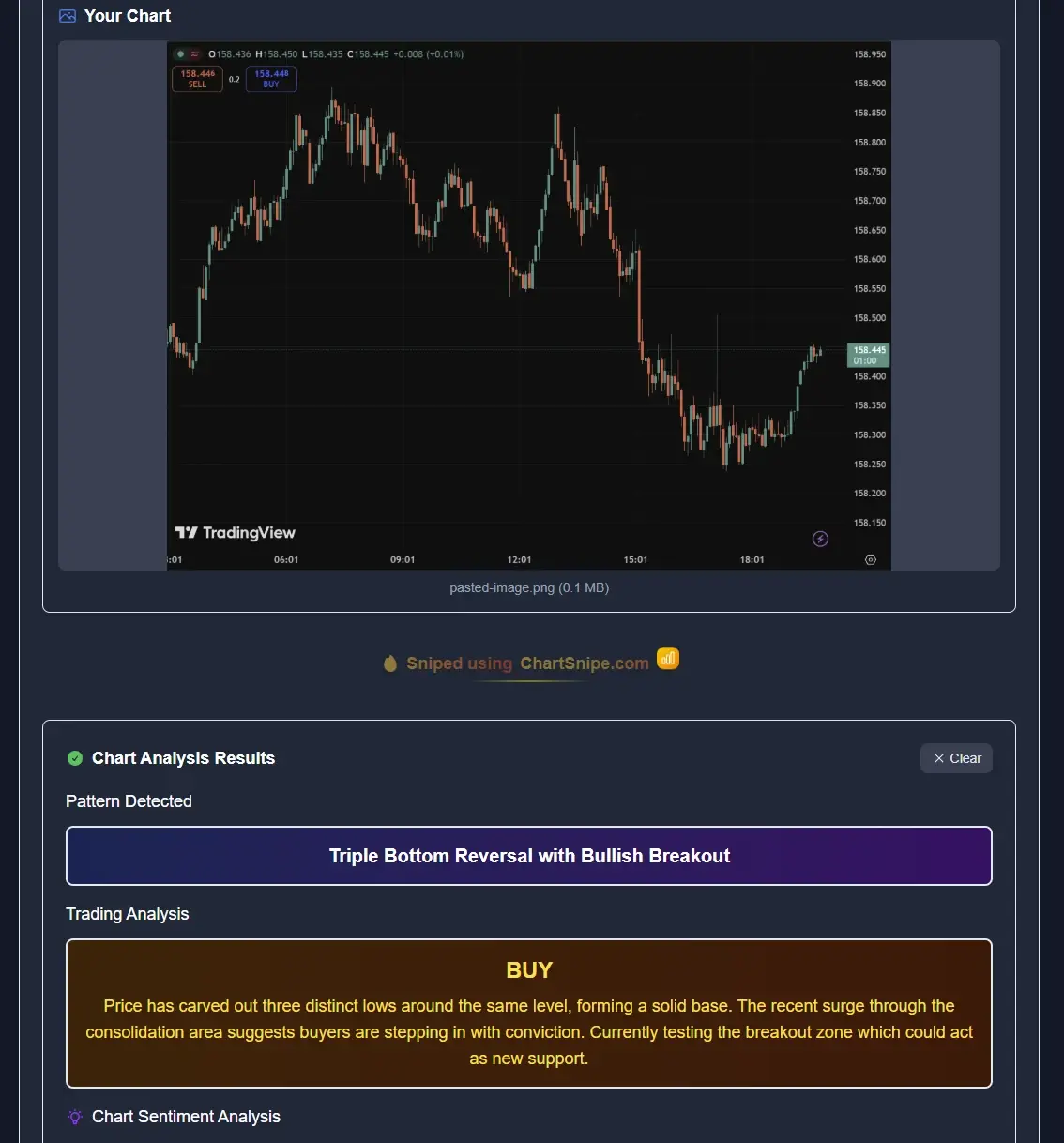
Round 1 verdict: Claude and ChatGPT are genuinely competent at pattern ID on clean charts. On ambiguous or noisy charts they start to drift in different ways — Claude hedges, ChatGPT fabricates. ChartSnipe pulled ahead because its framework forces a confidence-scored answer and is willing to say "no setup here."
Round 2: Support / Resistance Accuracy
This is where things get ugly for general-purpose LLMs. Pattern ID rewards language reasoning. Support and resistance accuracy rewards reading numbers off an axis — and that is exactly the task vision models are worst at.
On the 50 test charts we scored an S/R call as "accurate" if the level was within 0.2% for forex, 0.5% for stocks and indices, and 1% for crypto — generous tolerances. Anything further off than that is bad enough to ruin a stop placement.
| System | Levels within tolerance | Typical failure mode |
|---|---|---|
| Claude | Roughly half | Reads axis labels but rounds heavily; often gives "approximate" levels |
| ChatGPT Vision | Roughly 4 in 10 | Invents plausible numbers when axis labels are thin; highly confident about wrong levels |
| ChartSnipe | The large majority | Grounded against chart coordinates and live price; failures were mostly on very compressed timeframes |
The ChatGPT hallucinations were the worst part of the whole test. On one EUR/USD 4h chart ChatGPT called support at 1.0825 when the actual recent low was 1.0847 — a 22 pip difference that would change a stop loss from sensible to bad. It was not uncertain about the number. It stated it flatly.
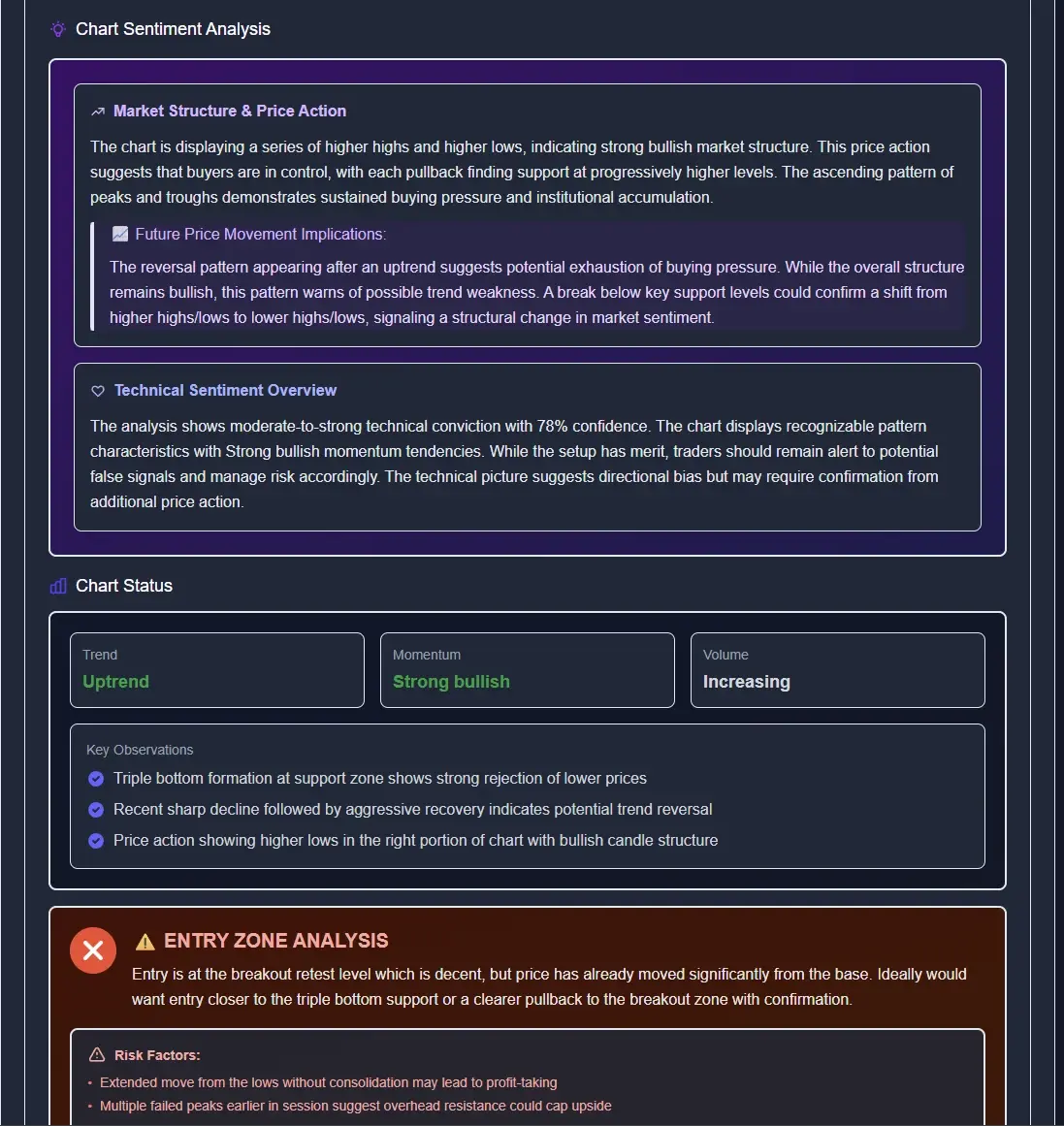
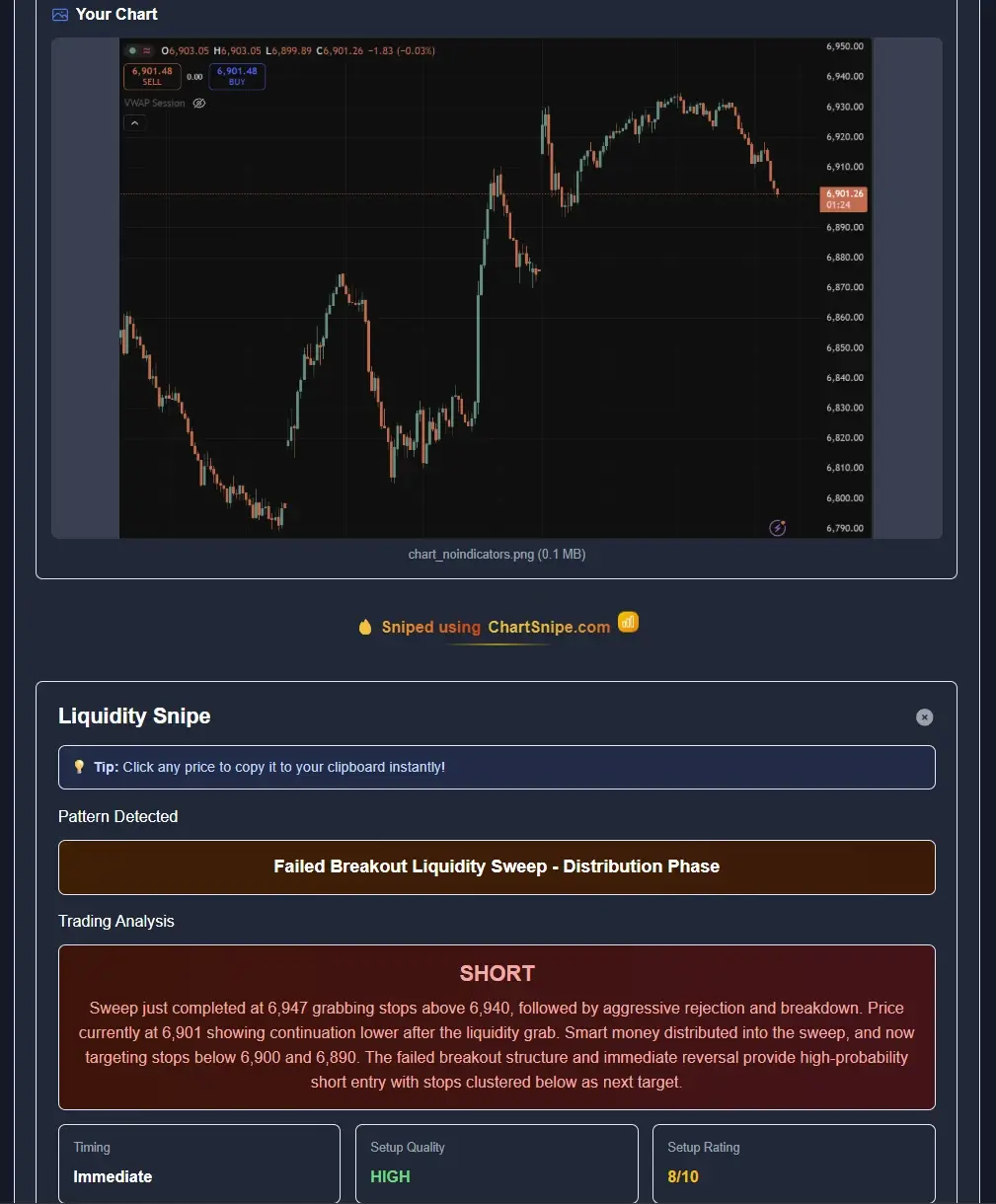
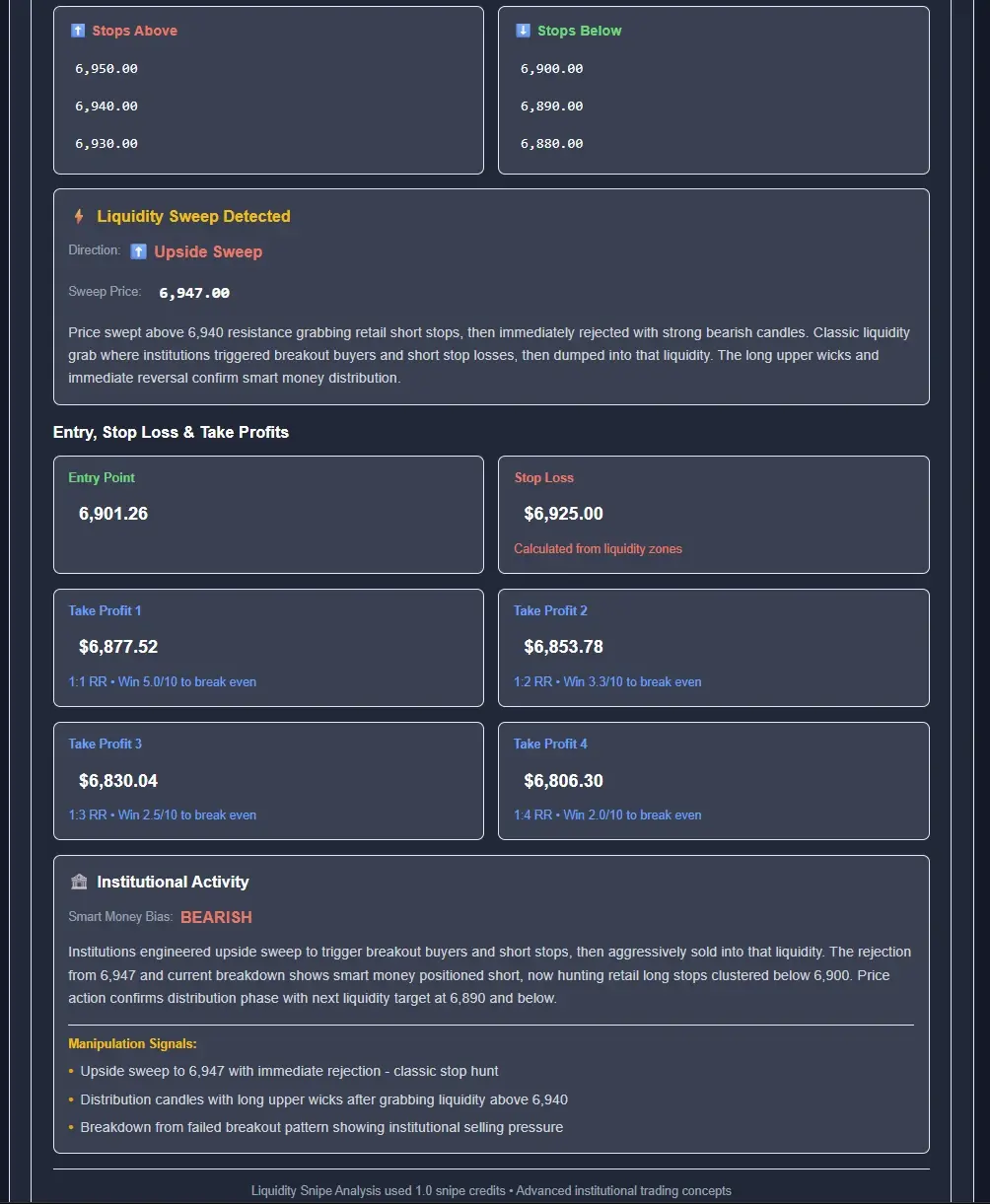
Why does ChartSnipe get this so much better? Two reasons. First, it anchors its response to live market prices pulled from a broker feed for 32 instruments, so when it talks about EUR/USD support it already knows the current price and can work backwards from structure. Second, its framework forces the AI to extract levels as structured data rather than embedding them in prose, which reduces the "plausible number" hallucination pattern that bites ChatGPT.
If you want to see how a dedicated chart AI thinks about liquidity zones specifically, the order blocks and liquidity guide covers the structure side, and the dedicated Liquidity Snipe mode is purpose-built for this exact job.
Round 3: Trade Setup Quality
A trade setup is not just "buy" or "sell." It is a specific entry, a specific stop, a specific target, and a risk-reward ratio that actually makes sense for the structure you are trading into. This is where round 2's S/R problems propagate forward.
Claude
Claude's setups were conceptually sound but numerically vague. It would write things like "enter on a break of neckline resistance with stop below the right shoulder low and target the measured move." Great theory, no numbers. You are still doing the hard part yourself.
ChatGPT Vision
ChatGPT was more willing to commit to numbers but those numbers inherited the S/R hallucination problem from round 2. A setup with the wrong support level produces the wrong stop loss — the worst kind of setup, because it looks actionable.
ChartSnipe
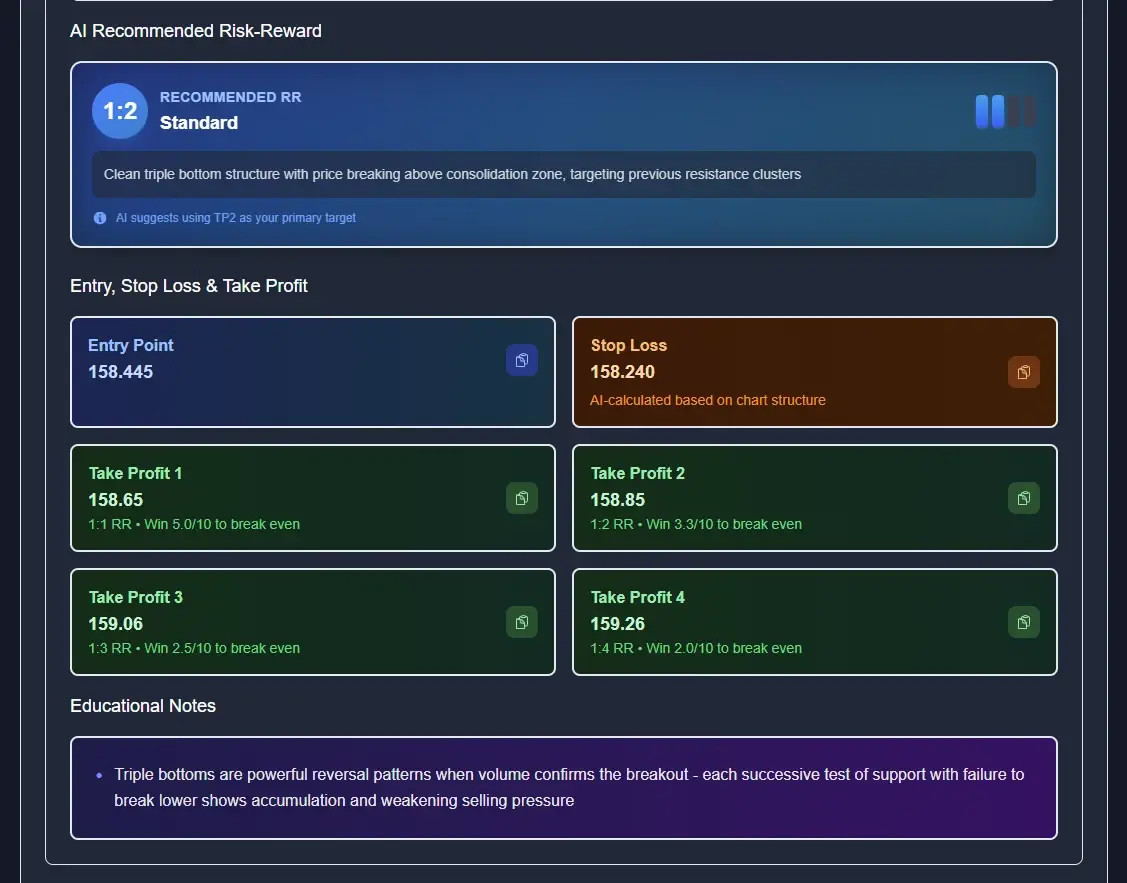
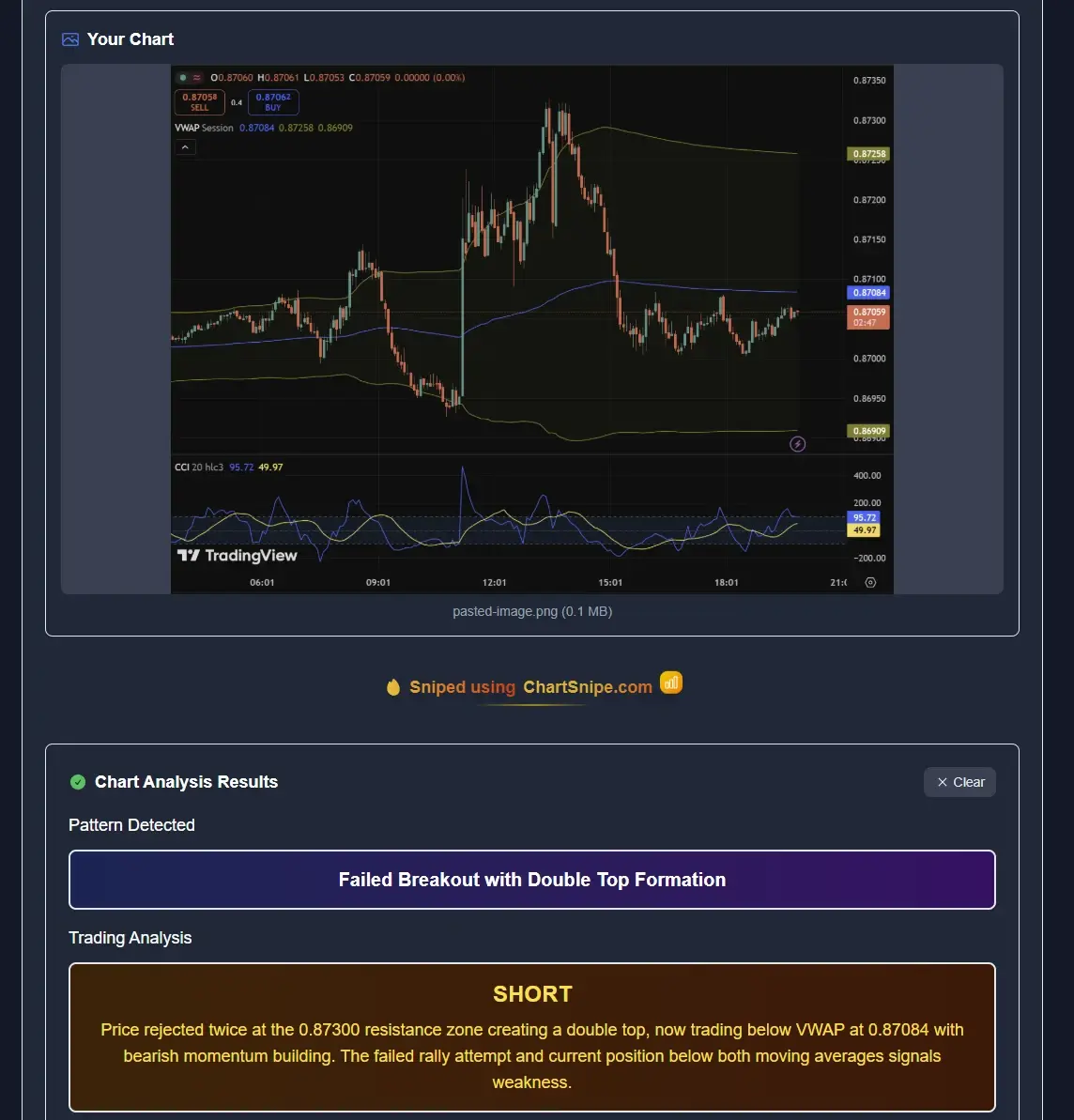
ChartSnipe gives you an explicit entry price, stop loss, four take profit targets, and a documented risk-reward ratio on every setup. More importantly, when the AI thinks the current entry zone is unfavourable it will refuse to recommend the trade, even when the pattern is valid. No other tool in this test did that.
If you want to see exactly how the prompting differs, our sibling post how to use ChatGPT to analyze a forex chart walks through the practical prompting tricks that partially mitigate the weaknesses in round 3 — and also shows why you still need a structured fallback.
Round 4: Explanation Clarity
This is the round where general-purpose LLMs finally get a real win. If what you want is an explanation — "why is this a head and shoulders, what does the measured move rule say, what is momentum doing here?" — Claude and ChatGPT are legitimately excellent.
Claude takes this round
Claude's written explanations are the most detailed, the most structurally clear, and the most willing to teach you something. If you are a trader who learns by reading, Claude's long-form output is a gift. It will walk through pattern psychology, volume context, and the counter-case for your trade. That is genuinely useful.
ChatGPT is a close second — slightly more conversational, slightly more willing to switch registers. It is great for a beginner who wants to ask follow-up questions.
ChartSnipe is structurally clear in a different way. Instead of long prose, you get a fixed framework every time: pattern, sentiment, entry zone assessment, risk-reward, educational notes. Less flowing explanation, but far easier to scan when you are running multiple setups per day. For learning concepts, Claude wins. For repeatable daily workflow, ChartSnipe wins.
We dug into this specific tradeoff in more depth in does ChatGPT work for trading charts, which is worth reading alongside this one.
Round 5: Live Data & Context Awareness
This is the round nobody on Reddit talks about, and it is the most important one.
Claude and ChatGPT have no idea what the current price is. They cannot tell you where EUR/USD is trading right now. They cannot tell you that CPI came out 20 minutes ago. They cannot factor in the fact that gold just made a fresh all-time high this morning. Everything they know about the market is baked into their training data, which is at best weeks old and often months.
That is fine if you are asking a general question about chart patterns. It is a catastrophic limitation if you are trying to make a real trading decision, because the same chart means different things in different macro environments. A breakout the day before FOMC is not the same as a breakout the day after.
The honest scoring
Claude: no live data. Zero on this dimension.
ChatGPT: technically has a browse tool, but it is slow and unreliable for quoting live prices. Effectively zero.
ChartSnipe: live prices for 32 instruments refreshed every five minutes, plus a daily AI news impact analysis that explicitly tells you what the macro backdrop means for each instrument today. This is not a feature you can bolt on to a general chatbot.
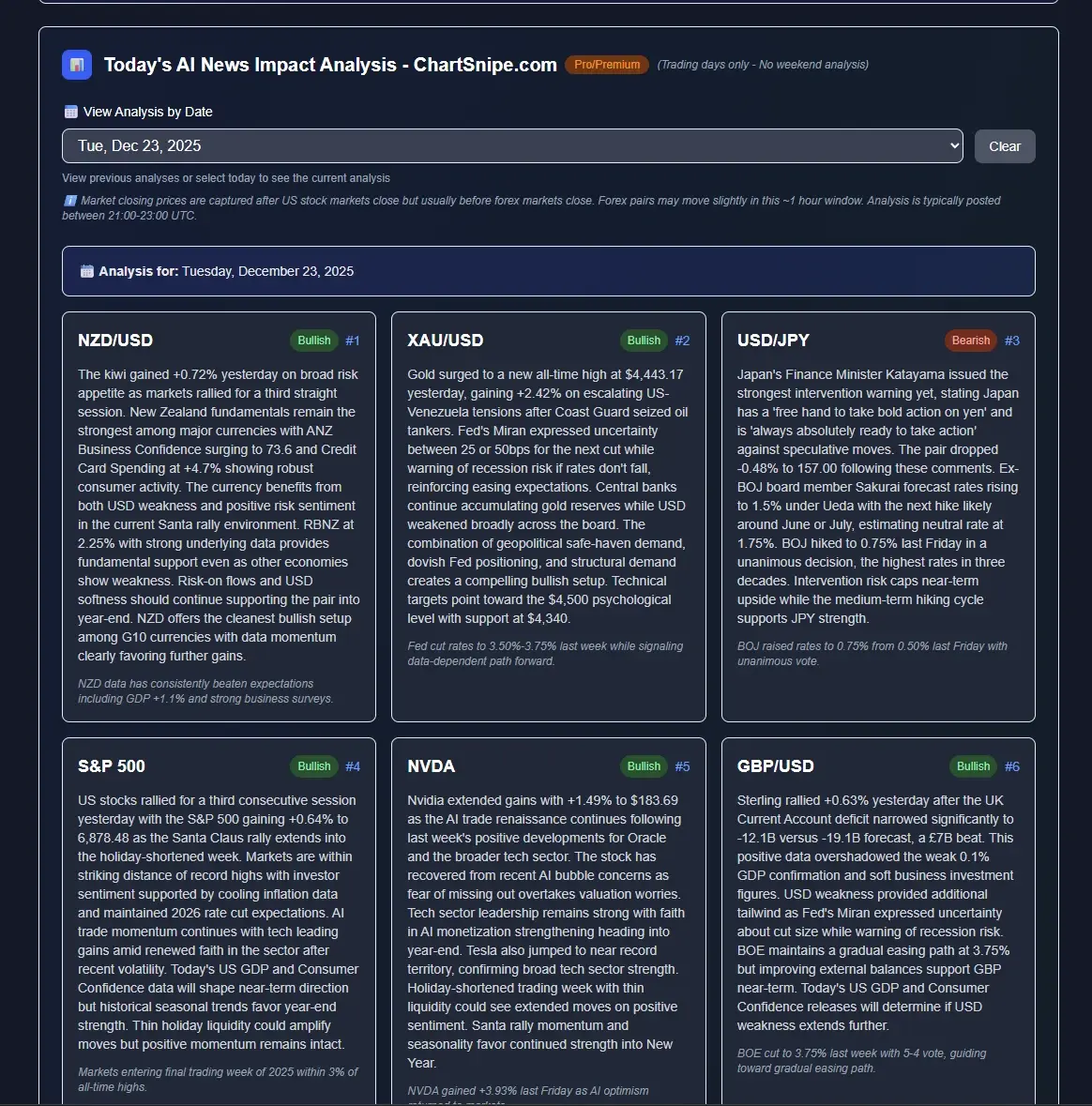
You can see it live on the News Impact page — twelve instrument cards, live prices streaming in, AI-generated interpretation of what the day's headlines mean for each one. That is five rounds, and round 5 was a blowout.
The stateless problem nobody talks about
Here is a round-5 adjacent problem that almost nobody mentions on Reddit: Claude and ChatGPT have no memory of your previous chart reads. Every conversation starts from scratch. If you asked ChatGPT last week whether USDJPY was forming an ascending channel and it said yes, there is no record you can go back to, no diff you can look at, no way to measure whether its call actually played out. The verdict vanishes the moment you close the tab.
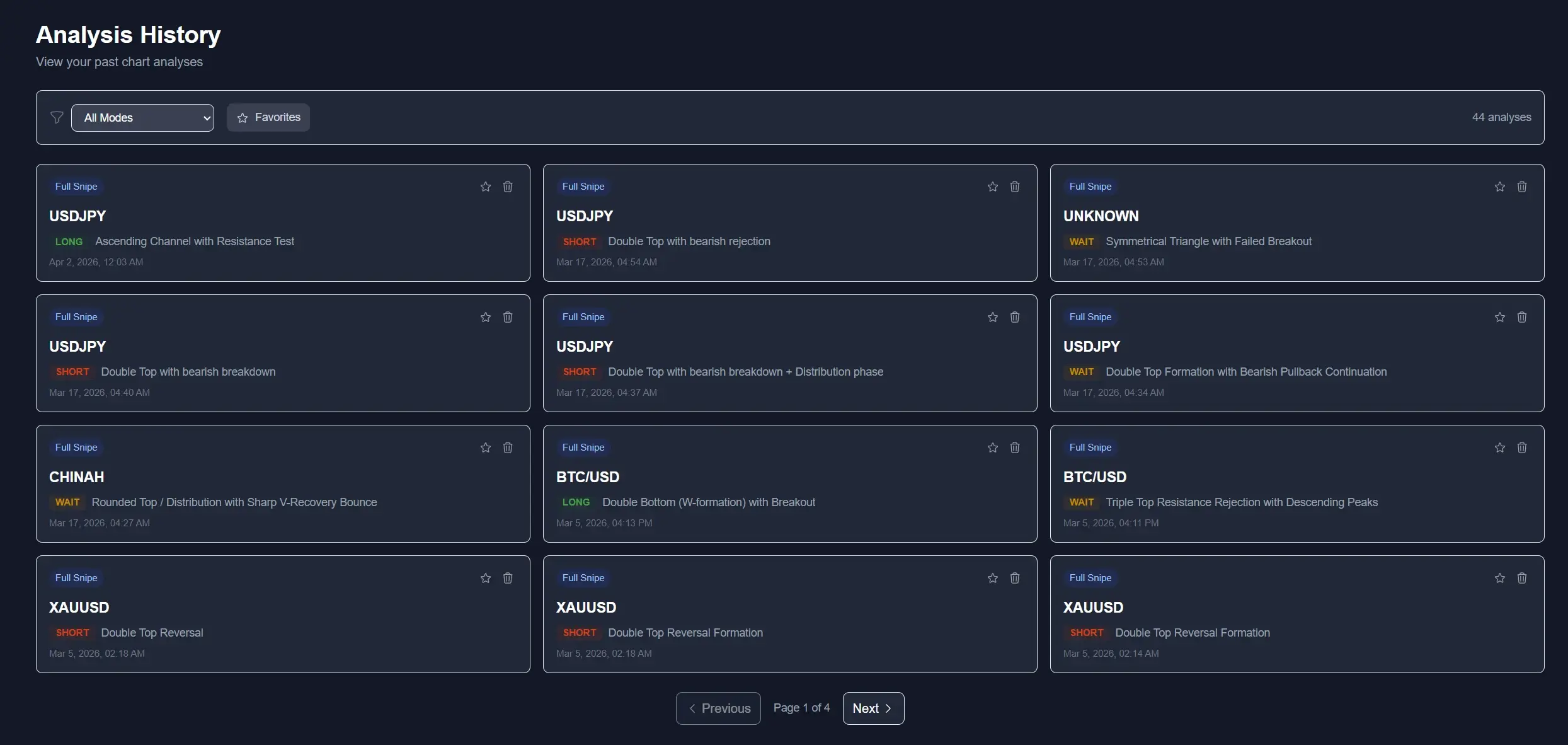
ChartSnipe persists every analysis you run. The history page above shows 44 past verdicts — each with the pattern name, the timestamp, the instrument, and the original screenshot — so you can audit your own workflow a month later. Did the USDJPY Ascending Channel call from three weeks ago actually play out? Scroll back and check. Did the BTC/USD Triple Top Rejection print? You have the receipt. That is a feedback loop general chatbots structurally cannot offer, because their whole interface is built around ephemeral chat threads.
The compounding effect matters. Over a few months of daily use, a structured history turns into a personal journal of your biases — which instruments you trade best, which patterns you misread, which timeframes you should stop touching. That metadata is worth more than any single analysis, and it is invisible to anyone running their trading workflow through a stateless chat window.
Final Scorecard
Scored 1 to 10 across each dimension, averaged across all 50 charts. These are our honest numbers, not marketing numbers — Claude beats ChartSnipe in one column, and we are showing that.
| Dimension | Claude | ChatGPT Vision | ChartSnipe |
|---|---|---|---|
| Pattern identification | 7 | 7 | 9 |
| Support / resistance accuracy | 5 | 4 | 9 |
| Trade setup quality | 5 | 5 | 9 |
| Explanation clarity | 9 | 8 | 8 |
| Live data & context | 1 | 2 | 10 |
| Total (out of 50) | 27 | 26 | 45 |
Claude edges ChatGPT by a single point, driven almost entirely by its explanation quality. ChatGPT has marginally better live-data access through its browse tool but nothing close to a real trading data feed. ChartSnipe pulls ahead on the four dimensions that actually involve touching a chart — and dominates round 5 for obvious reasons.
The takeaway is not that Claude and ChatGPT are bad. They are not. They are genuinely impressive general-purpose tools being used for a specific task they were not designed for. The takeaway is that if your goal is placing real trades — with real stops and real risk — you want the tool that was built for the job.
When To Use Which
None of this is a reason to cancel your ChatGPT or Claude subscription. They are excellent general tools. Here is the honest advice on when each one is the right answer.
Use Claude when...
- You want to learn a concept — explain a pattern, walk through a strategy, compare two approaches
- You want a second opinion on your own reasoning, not a trade recommendation
- You are journalling a completed trade and want structured post-mortem feedback
- You need help understanding why a particular economic release matters
Use ChatGPT when...
- You want a quick sanity check on a setup you are already mostly sure about
- You want to iterate fast in multi-turn conversation — "what if volume was weaker? what if the trend was still intact?"
- You are asking broader questions that go beyond just the chart itself
- You are a beginner and want a patient, conversational explainer
Use ChartSnipe when...
- You are about to place a real trade and want a specific entry, stop, and target
- You need support and resistance levels that are actually on the chart
- You want the current macro context baked into the analysis automatically
- You run multiple setups per day and need consistent, scannable output
- You want an explicit "do not take this trade" signal when the setup is weak
For more on how these tools compare to the broader landscape of chart analysis software, read our best chart analysis software 2026 breakdown, our best AI chart screenshot analysis tools shortlist, and the focused review on AI forex chart analysis in 2026. Each one approaches the same problem from a slightly different angle.
Frequently Asked Questions
Is Claude better than ChatGPT at analyzing trading charts?
In our test, Claude produced more coherent written reasoning about chart structure and was less likely to invent indicators that were not on the screenshot. ChatGPT Vision was faster and more confident but hallucinated support and resistance levels more often. Neither is reliable enough for live trade execution on its own, which is why purpose-built tools like ChartSnipe still outperform both on setup quality.
Can Claude analyze a chart screenshot?
Yes. Claude can accept image uploads and describe what it sees on a trading chart — candles, broad trend, general pattern shape, and visible indicators. It struggles with reading exact price levels off an axis and has no knowledge of live market data, so any numbers it gives should be treated as approximate.
Why does ChatGPT invent support and resistance levels?
ChatGPT Vision reads axis labels visually but does not actually map pixel coordinates to price values. When a level is not crisply labeled, the model fills in a plausible-sounding number based on the nearby axis text. Traders on Reddit frequently report levels that are off by 0.5 to 2 percent — enough to ruin a stop loss placement.
What is the best LLM for chart analysis in 2026?
If forced to pick one general LLM, Claude is the best for reasoning about chart structure and explaining patterns, while ChatGPT is the best for quick multi-turn iteration. But neither is purpose-built for trading. ChartSnipe combines vision models with a trading-specific framework and live prices for 32 instruments, which produces actionable setups instead of generic commentary.
Do I still need TradingView if I use Claude or ChatGPT for analysis?
Yes. LLMs do not replace a charting platform — they analyze screenshots from one. You still need TradingView, MT4, MT5, or any broker platform to produce the chart. Tools like ChartSnipe work the same way: you screenshot from your platform, then the AI analyzes the image.
Is ChartSnipe really more accurate than Claude and ChatGPT?
On our 50-chart test, ChartSnipe scored highest on pattern identification, support and resistance accuracy, trade setup quality, and live context awareness. Claude won on explanation clarity for educational questions. ChartSnipe wins on the areas that actually matter for placing a trade — specific entries, stops, and targets grounded in structure and live prices.
Conclusion: The Honest Answer
Claude and ChatGPT are impressive general-purpose systems. If the Reddit question is "can I use an LLM to analyze a chart?" the answer is yes — for learning, for second opinions, for explaining concepts you half-understand. That is a legitimate use case and we are not trying to talk you out of it.
But if the real question is "can I run my trading off Claude or ChatGPT?" the honest answer is no. The support and resistance hallucinations alone are disqualifying for anyone using real money. Add the complete absence of live market data and macro context, and the gap to a purpose-built tool becomes impossible to bridge with clever prompting.
Purpose-built wins because it was built for this. ChartSnipe is the chart analysis tool built for the job Claude and ChatGPT are being asked to do as a side quest. Use the right tool for the right job.
ChartSnipe Pricing
- Free: 2 chart analyses per month + unlimited Trading Quiz
- Pro ($20/month): 120 analyses + Daily AI News Impact Analysis
- Premium ($50/month): 600 analyses + all features
See full plans on the pricing page.
Sources & Further Reading
- • Anthropic — Claude — official documentation for Claude's vision and reasoning capabilities
- • OpenAI — GPT-4 Vision System Card — official notes on GPT-4 Vision limitations and intended use
- • TradingView Ideas — community chart setups used as reference patterns in our test
- • Investopedia — Chart Patterns — definitions used to score pattern identification accuracy
- • BabyPips — Chart Patterns School — the canonical beginner reference for pattern naming conventions
Related Articles
Does ChatGPT Actually Work for Trading Charts?
The honest deep dive on whether ChatGPT Vision can really read a trading chart — and where it falls apart.
Best AI Chart Screenshot Analysis Tools Tested in 2026
Every major AI chart screenshot tool stacked side-by-side with real test results.
Best AI Trading Chart Analysis Software in 2026
The full roundup of AI-powered chart analysis platforms — what they do well and where they fail.

Written by the ChartSnipe Team
ChartSnipe is an AI-powered chart screenshot analysis tool and daily AI news impact analysis platform for forex, gold, Bitcoin, S&P 500, and Nasdaq traders. Our team combines deep experience in technical analysis, AI vision models, and live market data across 32+ instruments to deliver actionable trading insights.
Stop fighting hallucinated support levels.
Try ChartSnipe free — 2 analyses per month, no credit card. See what a purpose-built chart AI actually looks like.
Try ChartSnipe FreeWritten by the ChartSnipe Team — building purpose-built AI for chart analysis since the day Claude and ChatGPT started hallucinating support levels.